If your VPS is down/offline, you can start it using SolusVM 1.
1. Log in to your SolusVM 1 Control Panel.
2. If you have multiple VPSs, select the appropriate one.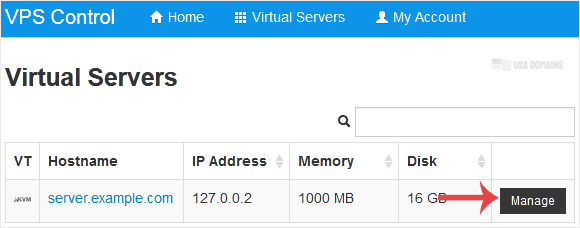
3. Click on Boot.
4. Click Yes to confirm.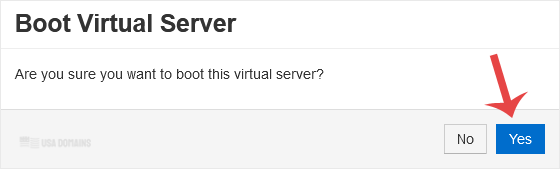
It may take some time for the VPS to start.
Most Popular Articles
How to Reboot/Restart VPS in SolusVM 1
You can restart VPS via the command line or SolusVM 1. How to Reboot/Restart a VPS via SolusVM...
How to Forcefully or Gracefully Shut Down the VPS in SolusVM 1
You can shut down the VPS in two ways - forcefully or gracefully in SolusVM 1. How to...
How to Access VPS via VNC in SolusVM 1
You can access your VPS via VNC in an emergency, such as when a firewall blocks your IP, the...
How to Reinstall OS Using SolusVM 1 OS-Reinstaller
You can easily Install/Reinstall the operating system using SolusVM 1. However, note that this...
How to Enable Disable APIC, ACPI, VNC in SolusVM 1
SolusVM 1 allows you to enable or disable VNC, PAE, APIC, and ACPI.1. Log in to your SolusVM 1...